
CuePlayer · 파일 변환
파일 변환
updated
This guide is written in Korean. An English version is not available yet.
맥은 파일 → 파일 변환 · CD 가져오기…, 윈도우는 톱니바퀴 메뉴 → 파일 변환 · CD 가져오기로 열어요. 곡 목록에서 우클릭 → 다른 형식으로 저장…으로 고른 곡을 바로 넣을 수도 있어요.
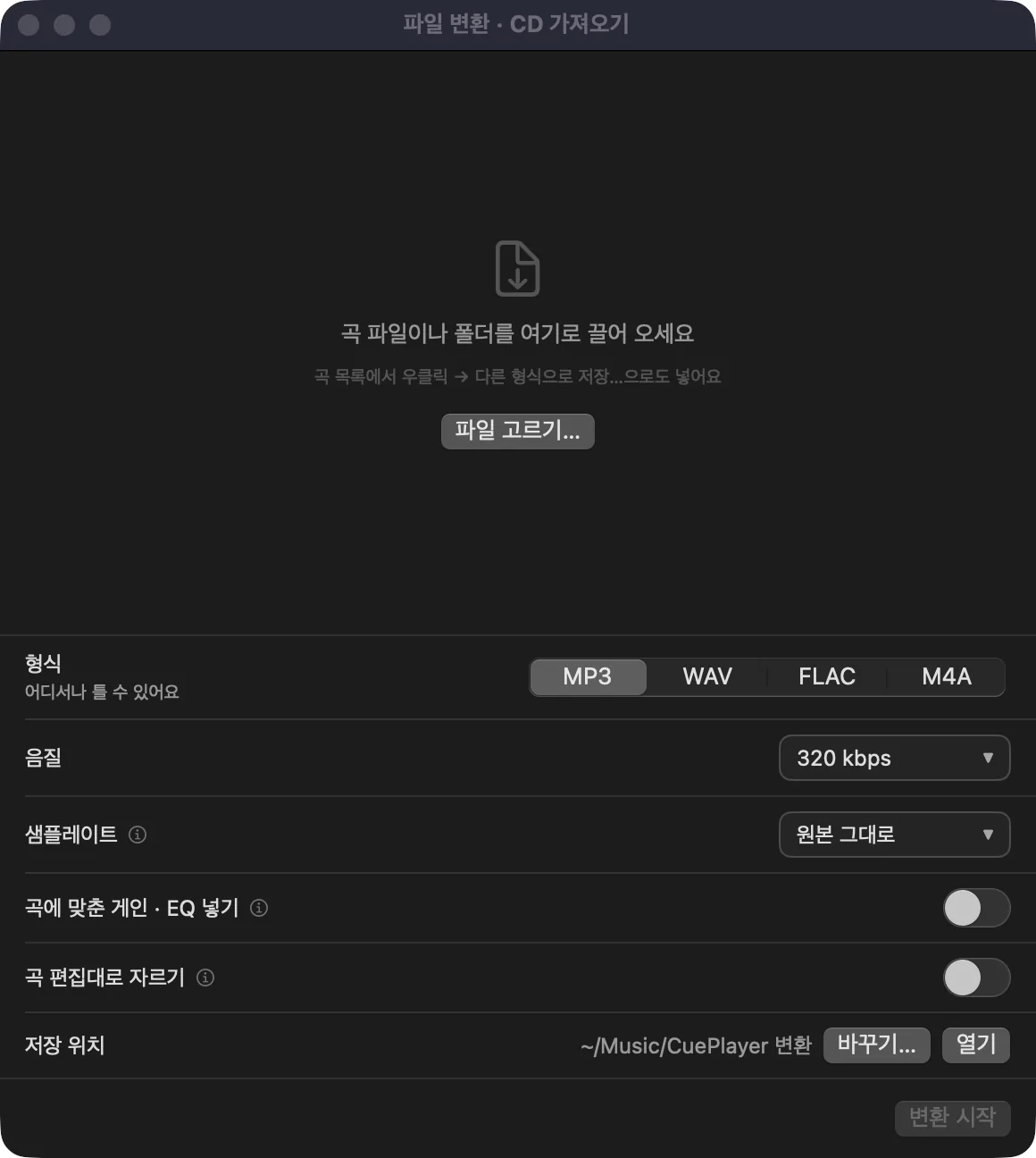
- 곡 파일이나 폴더를 창으로 끌어 오거나
파일 고르기…로 넣어요. - 형식: MP3 · WAV · FLAC · M4A. 음질과 샘플레이트(원본 그대로 · 44.1 kHz · 48 kHz)를 골라요.
- 곡에 맞춘 게인 · EQ 넣기: 곡마다 맞춰 둔 게인 · EQ를 넣어서 저장해요. 곡 편집대로 자르기: 곡 편집에서 정한 시작 · 끝 사이만, 페이드 인 · 아웃도 넣어 저장해요.
- 저장 위치(처음엔 음악 폴더의 'CuePlayer 변환')를 확인하고 변환 시작을 눌러요. 창을 닫아도 뒤에서 계속해요.