CueAir · Connect a mixer
Prepare before connecting
updated
- Work during preparation, not a service or show. Agree on the channels, monitor buses, and allowed changes with the operator.
- Connect the Mac and mixer to the same local network. Check the actual IP addresses and subnet mask; matching the first three address numbers is not a universal subnet test.
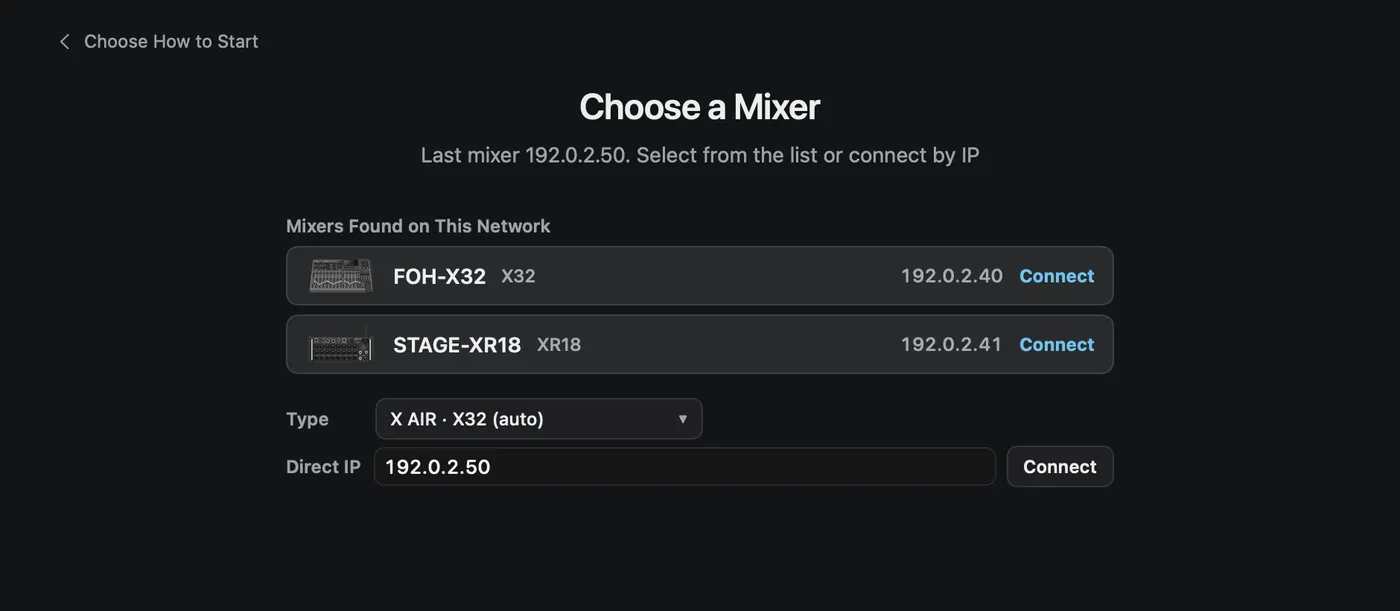
- Choose
Mixer Connection. In the discovered mixer list, check model, name, and IP before connecting. This list shows X AIR and X32/M32 family mixers only. - If the mixer is not listed, or it is a WING, TF, CQ, or Ui, pick the maker in
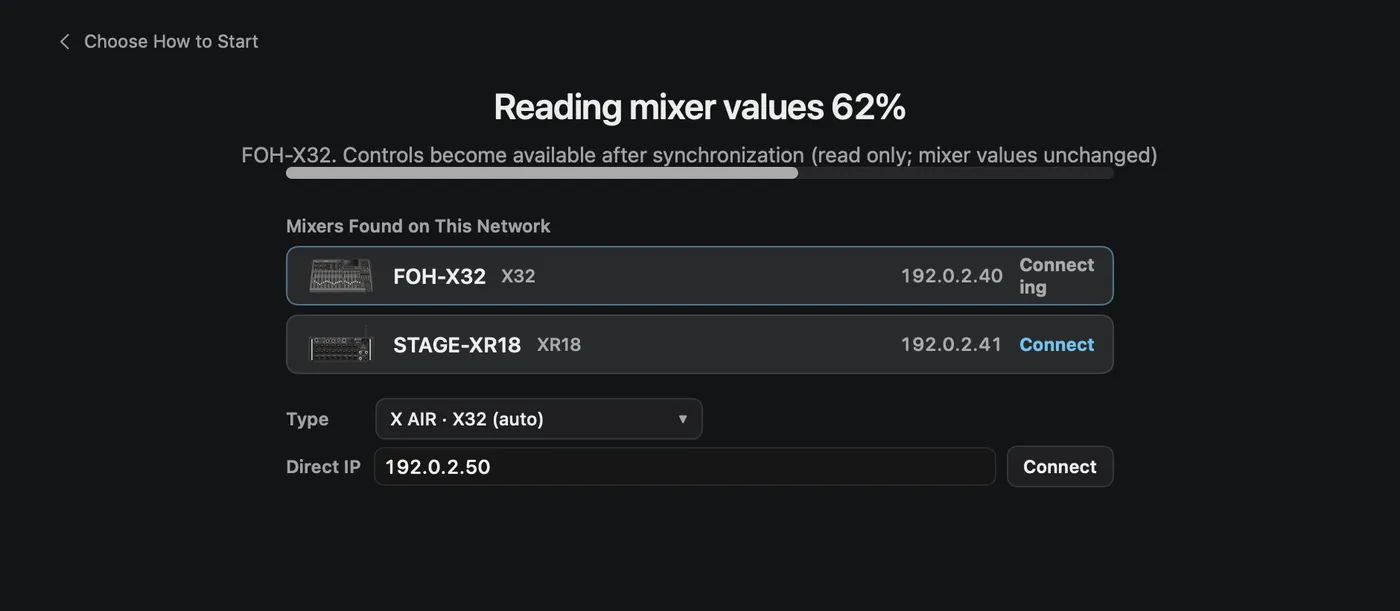
Typeand enter the mixer's IPv4 address inDirect IP. LeaveX AIR · X32 (auto)for X AIR and X32/M32. The field example192.168.0.50and the192.0.2.xaddresses in this guide are examples, not your device's address. TheConnectiontab in Setup has the sameMixer typefield. - Wait for the mixer-value read to finish. Connecting reads the current mixer; it does not automatically send a blank offline setup.
Ordinary X AIR and X32/M32 edits do not show the other-vendor first-write confirmation. Reading on connection is not a permanent view-only lock. A physical WING, TF, CQ, or Ui asks once per connection before the first change is sent.