
CueAir · CueAi assistant
Proposal versus approval
updated
- Distinguish explanatory text from a change card.
- Inspect targets, old/new values, and warnings; deselect unwanted items.
- Use the apply action to approve. Some higher-risk actions require holding the button.
- Distinguish sending, unconfirmed response, and confirmed application. Submission is not readback.
- Hold the restore action when needed. Subsequent edits, connection changes, or scene changes may exclude items from restoration. Confirmed restore and unconfirmed restore are different outcomes.
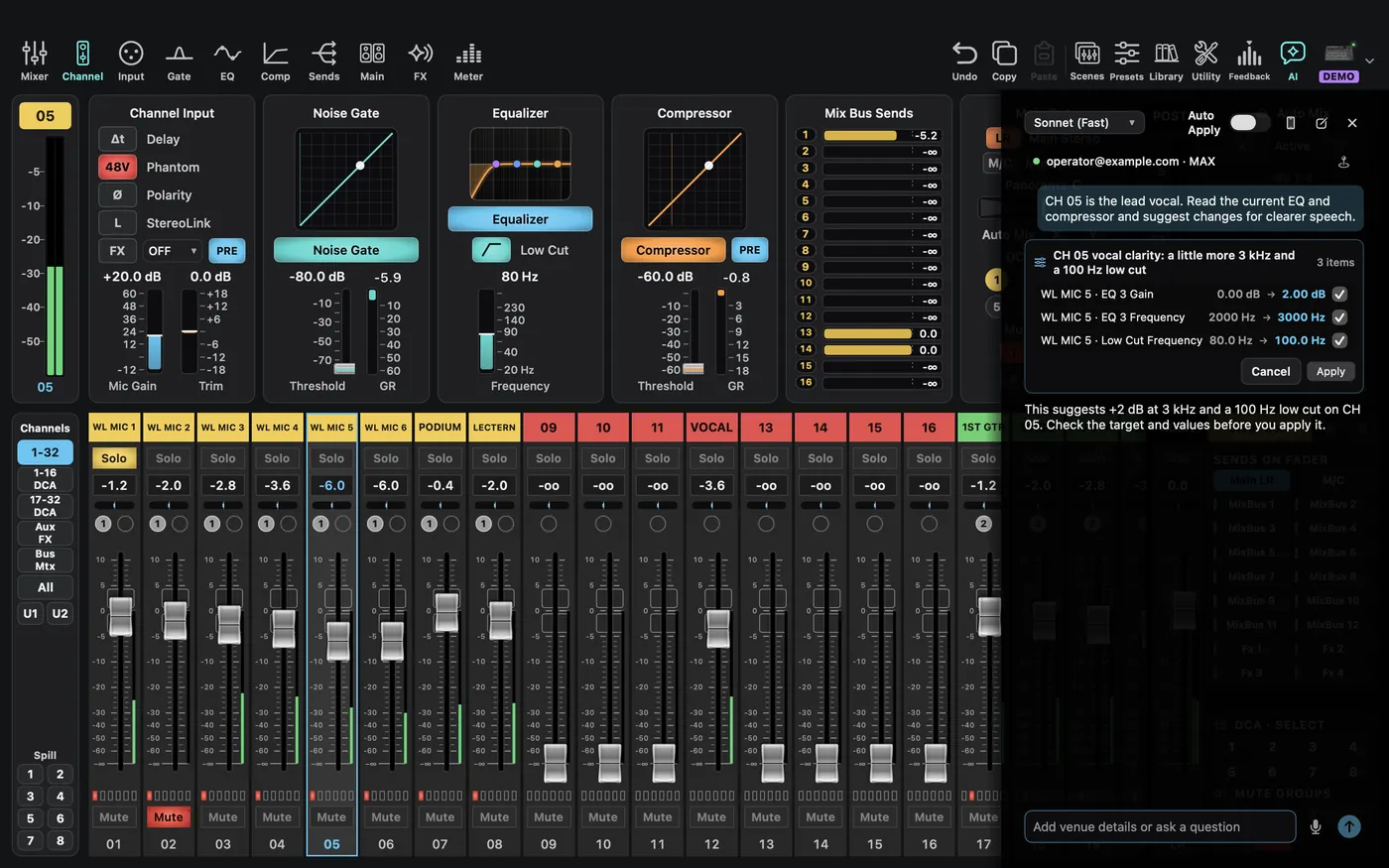
With Auto Apply enabled, small input-processing adjustments can apply without another click. Gain, 48V, outputs, routing, FX types, and large adjustments are described as requiring review. The current version can also automatically execute a scene-save proposal, so do not assume the mode changes only small EQ settings. Learn the review flow with Auto Apply off. AI does not always wait for approval in every mode.