
CueAir · Presets
FX Presets
updated
FX Presets changes an FX slot's effect type and parameters to an event-ready starting point in one step. It is separate from the channel Presets.
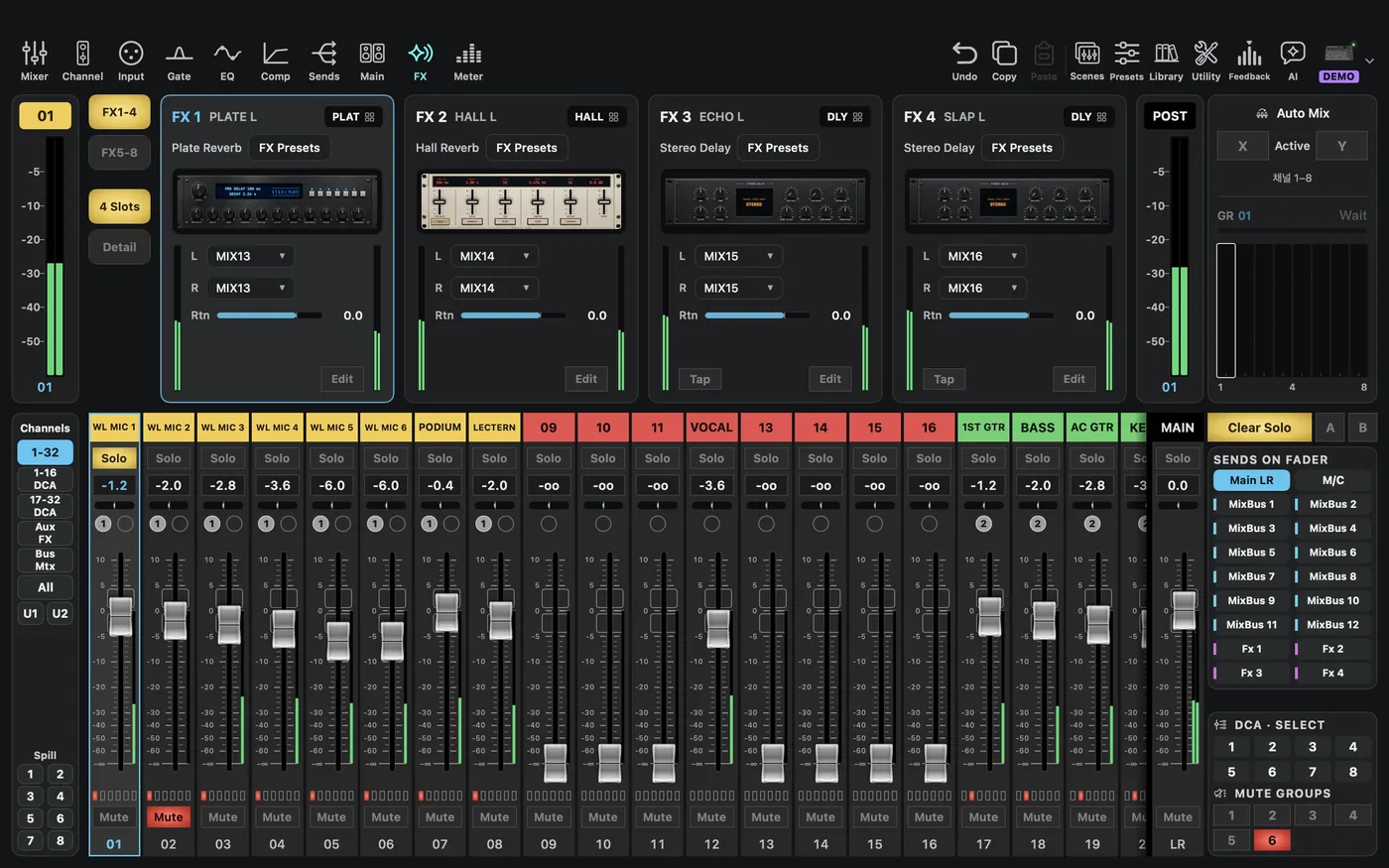
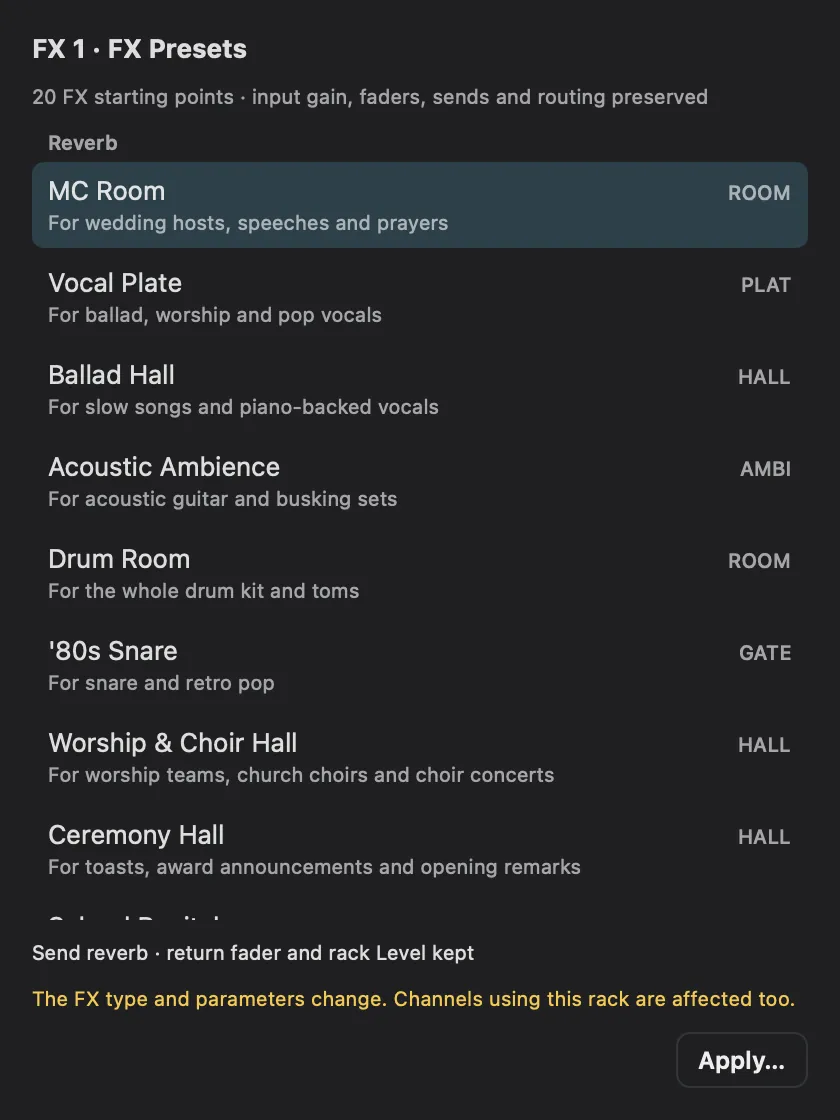
- In the
FXtab, chooseFX Presetsnext to the name of the slot you want to change. - Pick from the Reverb, Delay, Voice changers, and Other groups. On X AIR and X32/M32, for example, you will find
MC Room,Ceremony Hall,Worship & Choir Hall,Karaoke Echo,Trot Echo,Anonymous Voice (High), andRobot Voice. - For delays that follow the beat, set
BPM. - Choose
Apply…, thenApplyin the confirmation. - When the type changes, a note such as
Karaoke Echo appliedappears briefly next to the effect name, and the list shows how many values the mixer confirmed. If only some were confirmed, check the mixer values yourself.
What changes and what stays
Only the FX type and parameters change. Input gain, faders, sends, return faders, and patching stay as they are, so raise the send to that FX yourself in the channel's Sends.
Other channels using that FX slot change too. During a show, do not change a slot in use; pick a free slot or do this in rehearsal. Undo does not reverse it.
The list differs by mixer maker and only shows what fits that FX slot.