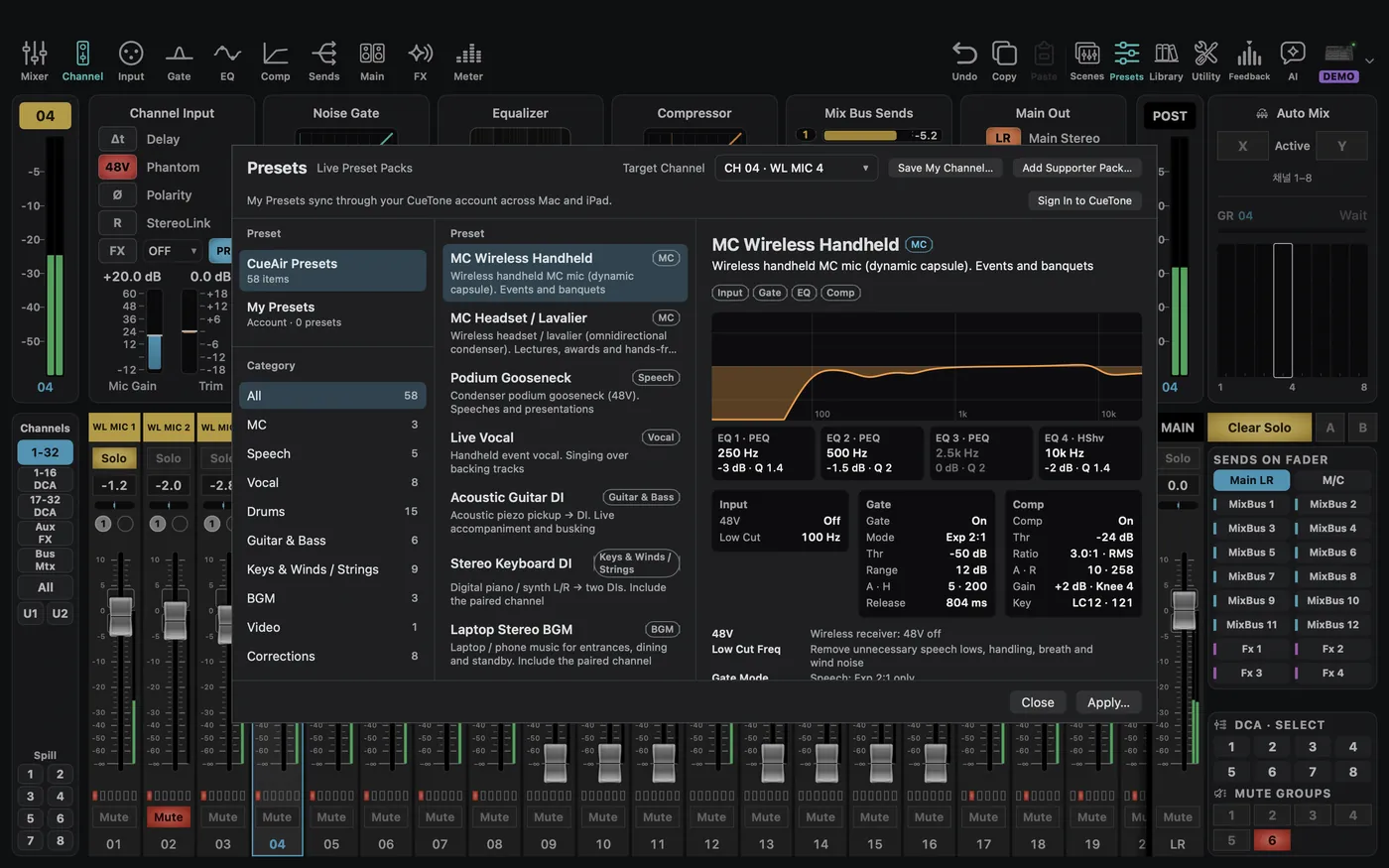
CueAir · Presets
Apply a preset
updated
A preset is a starting point, not an acoustic measurement or a finished mix.
- Select the input channel and open
Presets. - Choose a pack, category, and preset. Read the description and preview.
- Recheck
Target Channel, including its number. - Click
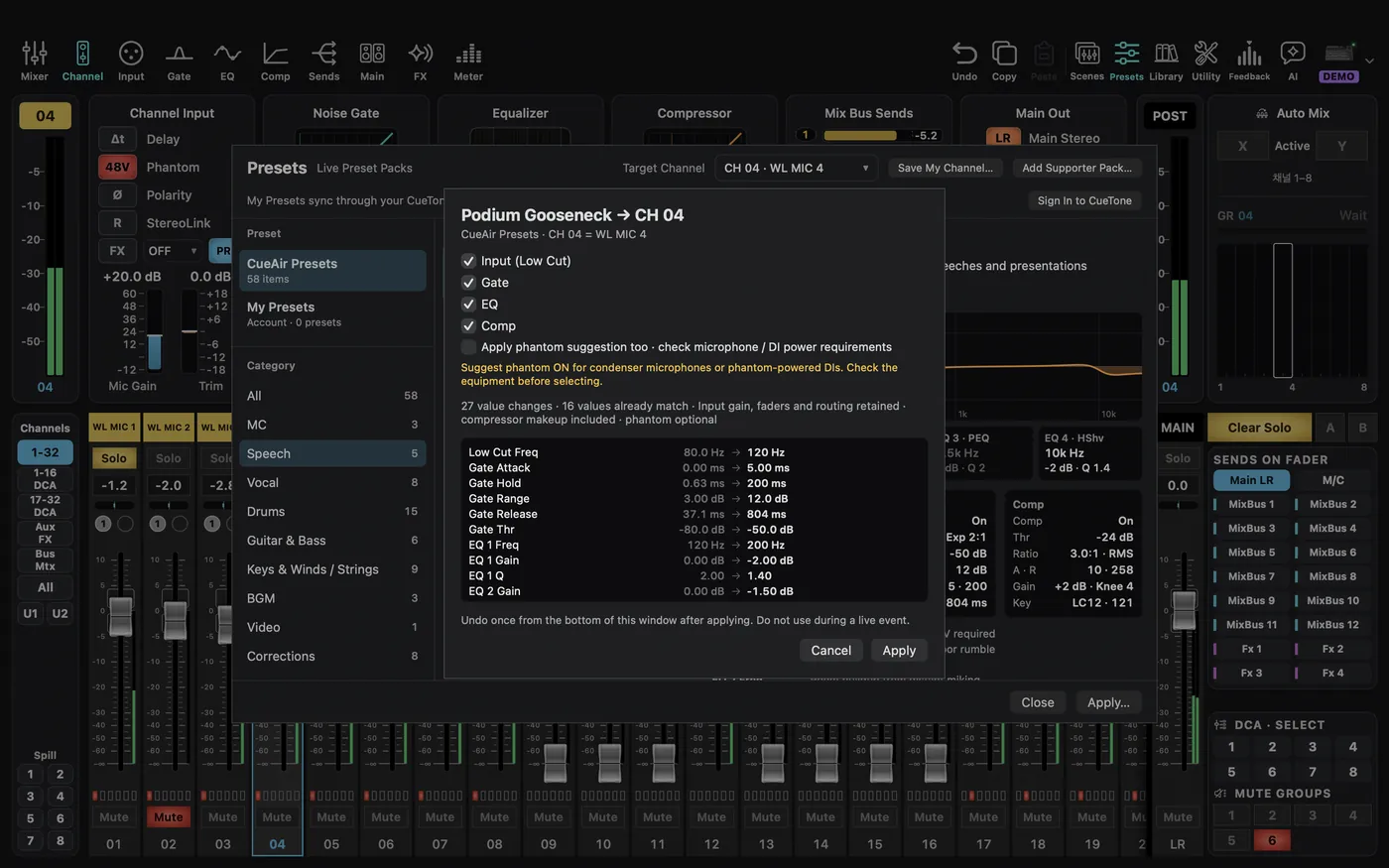
Apply…and inspect sections, change count, skipped items, warnings, and before/after values. - For a stereo preset, review the partner-channel option if present.
- Confirm with
Apply, or useCancel. - Check actual sound and returned values. The preset footer's undo control can undo the last preset under applicable conditions; it is not a universal history restore.
Level-preserving presets keep input gain, faders, and routing but may include compressor makeup gain and optional 48V. Processing changes can still change perceived loudness. Read each actual plan instead of assuming all presets preserve the same values. Enable an optional phantom proposal only for equipment that needs it, never for phone or laptop playback outputs.
Save My Channel… requires CueTone sign-in. My presets are stored in your account and shared between Mac and iPad; synchronization needs a network. Presets cannot be imported from or exported to files. The one exception is the official supporter pack file from the CueTone supporter page, which you add with Add Supporter Pack…; other files are refused. Packs you already added stay in the list. A preset pack and a .cueair state file are different things. Applying multi-channel preset scene bundles is not yet supported.