CueAir · Monitor-only click
Method B: Phone 3.5 mm output
updated
- If needed, use a compatible USB-C or Lightning audio-output adapter. A charging-only adapter is insufficient.
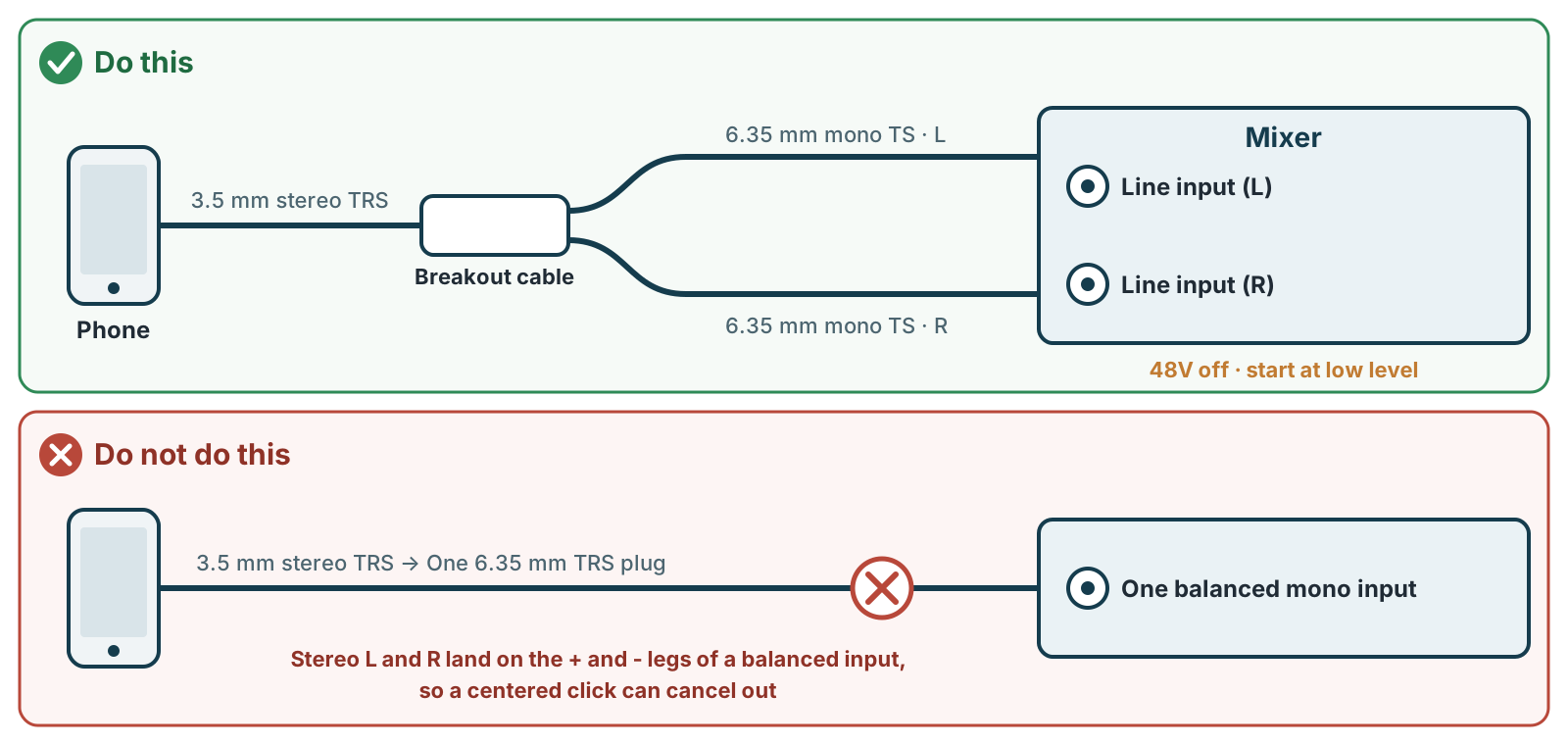
- A common connection uses 3.5 mm stereo TRS to two 6.35 mm mono TS plugs feeding separate L/R line inputs. Check the actual jack specification and wiring if the mixer accepts TRS line inputs. For distance or grounding issues, have the operator assess an appropriate stereo DI or isolator.
- Do not connect stereo TRS directly to one balanced mono TRS input. L/R may be interpreted as positive/negative legs and centered click can cancel. Identical plug shapes do not imply identical signals.
- Select the actual line input in
Input. Match input sensitivity and any required DI. Do not enable phantom power for the phone output. - Start low and increase only while checking distortion and signal. One side can carry mono click only if the playback app actually sends click there. Do not join L/R outputs with a passive Y cable.
- Rehearse notifications, calls, screen lock, and background playback behavior.