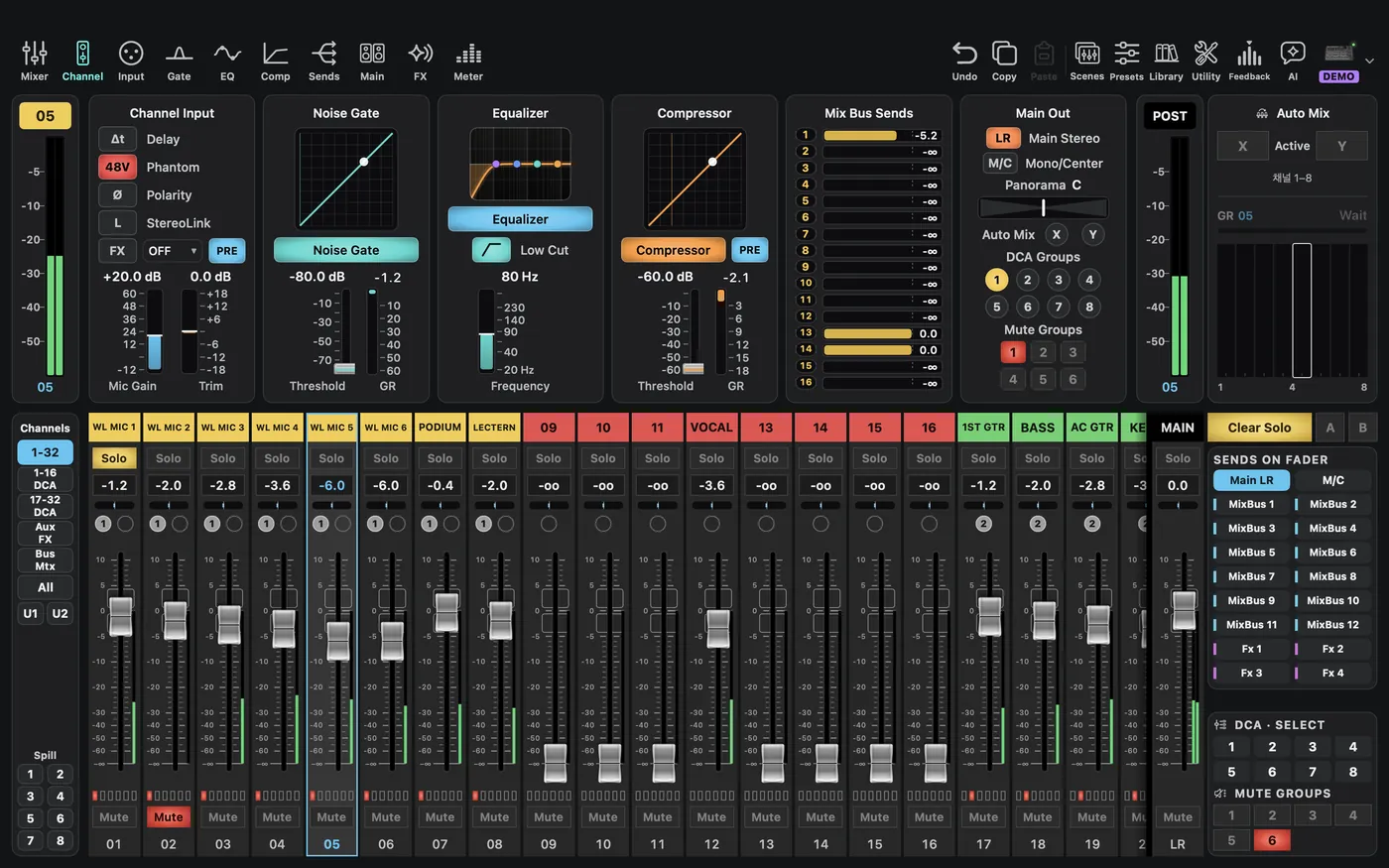
CueAir · Find your way around
Select the target, then the tab
updated
Select an input or output strip before editing. Check both type and number: CH 05 and Bus 05 are different targets, even if their names look similar.
| Tab | Purpose | Caution |
|---|---|---|
Mixer | Overview of inputs, outputs, and mixing relationships | Distinguish overview from individual editing |
Channel | Selected-strip processing summary | Layout depends on strip and model |
Input | Source, preamp/trim, polarity, Low Cut, as supported | Verify cabling before source, gain, or 48V changes |
Gate | Gate and related processing | Hardware-absent processing is hidden; some hardware features are not yet supported by the app |
EQ | Equalization and supported output GEQ | Input EQ is not monitor-output EQ |
Comp | Compression and dynamics | Makeup gain affects level |
Sends | Feed buses and FX from the selected source | Check enable, level, and tap separately |
Main | Main assignment, pan, and supported groups | Keep monitor-only click out of LR and relevant M/C |
FX | Supported effect types and parameters | Type changes affect existing effects |
Meter | Supported signal meters | Missing or unsupported does not mean silence |
Hardware-inapplicable tabs may be omitted. A visible field is not necessarily editable. Read unconfirmed, read-only, unsupported, and waiting states rather than treating them as zero or off.